Normal
Bounded right-stick cursor
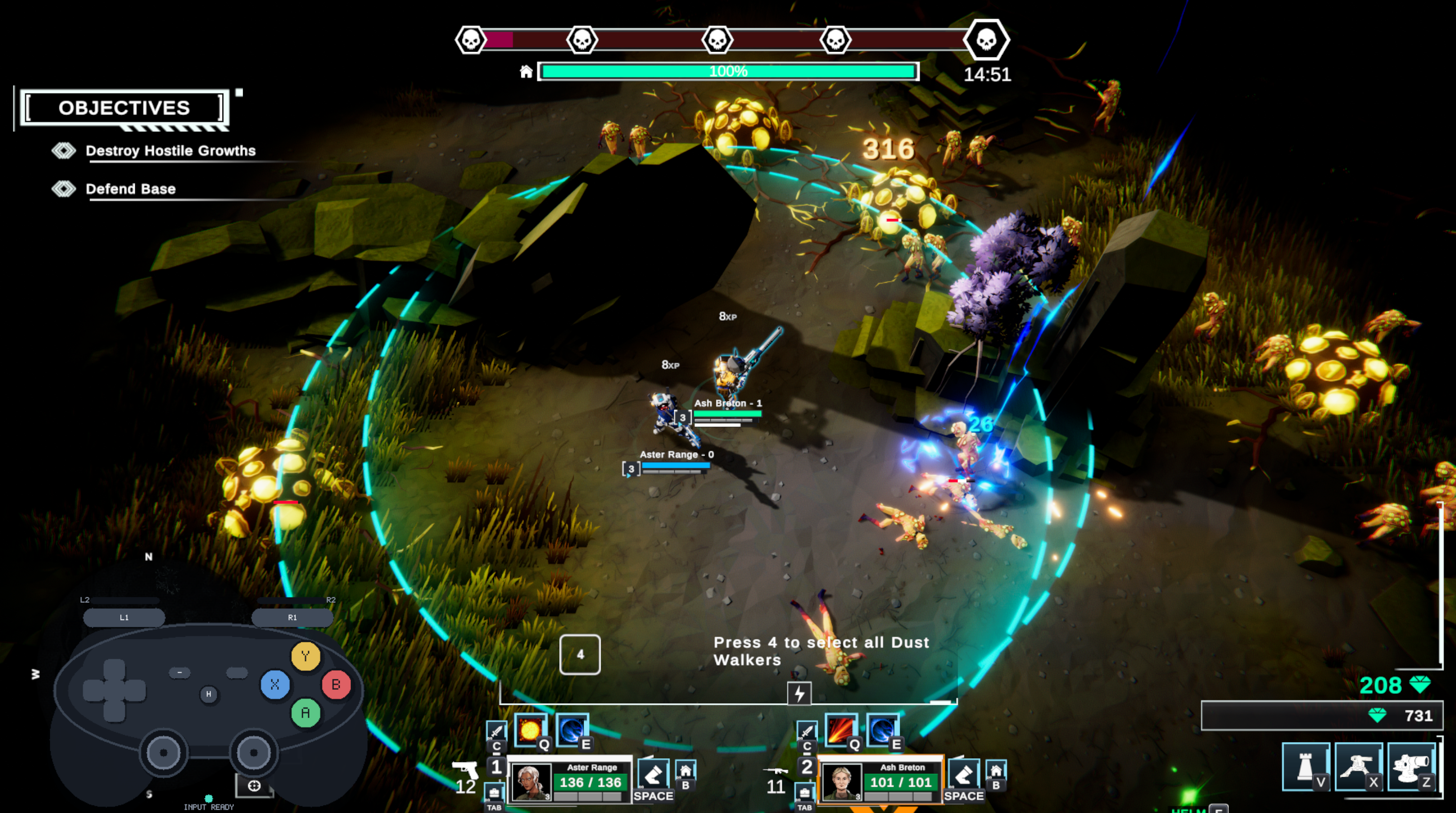
Right stick normally controls a bounded cursor around the active Dust Walker. This keeps aiming predictable and makes abilities much easier to target during hectic combat.
Unofficial Steam Input controller support for Dust Walkers
A controller layout built around how Dust Walkers actually plays, rather than trying to force it into a conventional twin-stick scheme. It uses a bounded right-stick cursor for predictable local aiming, an LT free-mouse mode when full pointer control is needed, direct access to abilities and core actions, and a control layout refined through full-demo completion, then fully validated again through the current Dust Walkers playtest.
Demo v1 remains the finished, stable release for the Dust Walkers demo. It has not been replaced or superseded.
Playtest v1 is a separate release for the current Dust Walkers playtest. The published Community Layout has been downloaded, reapplied, and validated through completion of the playtest.
Input-mode requirement: both Controller Companion releases are designed exclusively for Dust Walkers' WASD input mode. The alternative mouse / MOBA-style movement mode is not supported.
Playtest support is version-sensitive: the playtest is expected to continue changing. Future Dust Walkers updates may alter bindings, interface behaviour, or other assumptions used by the layout, so Playtest v1 may require adjustment as the game evolves. Demo v1 remains the stable historical release for the demo.
Quick setup
Required: set Dust Walkers Input Method to WASD. The Controller Companion does not support the alternative mouse / MOBA-style movement mode.
Enable Steam Input for the game.
Apply the matching Community Layout:
Demo:
Dust Walkers Controller Companion — Steam Input v1
Current playtest:
Dust Walkers Controller Companion — Playtest v1
Set Windows display scaling to 100%. Mouse Region behaved incorrectly at 175% scaling during testing.
Controller Companion design
The layout does not try to make Dust Walkers behave like a conventional twin-stick game. Instead, the right stick changes behaviour depending on what the game actually needs.
Normal
Right stick normally controls a bounded cursor around the active Dust Walker. This keeps aiming predictable and makes abilities much easier to target during hectic combat.
Hold LT
Hold LT when unrestricted mouse movement is needed. While LT is held, the right stick becomes a free mouse for menus, distant targeting, selling, and other pointer-heavy interactions.
Key idea
Free mouse control is optional rather than constant. Most combat can be handled with the bounded cursor, while LT temporarily gives full pointer freedom only when the game actually needs it.
Core gameplay
Movement, bounded right-stick aiming, dodge, interaction and abilities remain directly accessible during normal combat.
Design proof
The upgrade screen demonstrates why both cursor modes exist. Full mouse freedom is available when needed, but the bounded cursor can also turn the same interface into a simple, predictable three-way selection.
First interaction
Holding LT unlocks unrestricted pointer movement for precise menu interaction.
Second interaction
Without LT, the bounded cursor naturally behaves like a left / centre / right selector: hold the stick left or right, or leave it centred for the middle option.
Advanced pointer control
Some Dust Walkers interactions are genuinely mouse-heavy. Holding LT turns the right stick into a free mouse while the rest of the controller continues to handle clicking and menu actions.
Free mouse movement for inventory, menus and distant pointer interaction.
Left click and confirm while using the free pointer.
Right click for selling, targeting and other secondary mouse actions.
More gameplay clips
These clips were captured during demo validation and show the same controller design now used by both Demo v1 and the current Playtest v1 release.
Full control map
The shared controller mapping used by both Demo v1 and the current Playtest v1 release.
On smaller screens, swipe sideways to view all control-map columns.
| Controller input | Normal function | Hold LT function | Dust Walkers input |
|---|---|---|---|
| Left Stick | Move | Move | W / A / S / D |
| L3 | Melee Attack | Melee Attack | C |
| Right Stick | Bounded local cursor | Free mouse cursor | Mouse Region / Joystick Mouse |
| R3 | Teleport to Base | Right Click / Sell / Target | B / Right Mouse Click |
| A | Interact / Pick Up | Same | F |
| B | Construct Barrier | Same | Z |
| X | Construct Short-Range Turret | Same | V |
| Y | Construct Long-Range Turret | Same | X |
| LB | Upgrade / Level | Same | T |
| RB | Dodge | Same | Space |
| RT | Left Click / Confirm | Left Click / Confirm | Left Mouse Click |
| LT | Hold for alternate control layer | Held | Steam Input Mode Shift |
| D-pad Left | Projectile Ability | Select Walker 1 | Q / 1 |
| D-pad Up | Defense Ability | Select Walker 2 | E / 2 |
| D-pad Right | Utility Ability | Select Walker 3 | G / 3 |
| D-pad Down | Ultimate Ability | Select All / Swap Unit | R / 4 |
| View | Inventory | Same | Tab |
| Menu | Menu / Pause | Same | Escape |
| Share | Screenshot | Same | Steam Screenshot |
Known limitations
Steam Input removes a lot of control friction, but some limitations come from the specific Dust Walkers build being supported or from the game itself.
Steam Input's Mouse Region behaved incorrectly at 175% Windows scaling during testing. The bounded-cursor setup worked correctly at 100%. If the cursor is offset or trapped in part of the screen, check Windows scaling first.
Demo v1 is the stable release validated against the finished Dust Walkers demo. Playtest v1 has been separately validated through completion of the current playtest build, including a full run using the published Community Layout. Because the playtest is still evolving, future game updates may require Playtest v1 to be retested or adjusted.
The layout reduces the need to hunt for the cursor, but it cannot fix the game's underlying cursor visibility or combat-effect readability.
The layout exposes Walker selection cleanly, but managing multiple Walkers during fast or late enemy telegraphs remains a game-side challenge.
Some clicks appear to pass through screens that should feel modal. The layout does not attempt to compensate for that.
The current demo does not expose a manual reload key in its bindings.
Development story
Dust Walkers looked controller-friendly at first glance, but its actual control model mixes WASD movement, cursor-driven abilities, squad selection, building, interaction, and mouse-heavy UI.
Rather than remap everything at once, the project used a friction-first process: play until something felt awkward, solve that specific problem cleanly enough, then move on.
A bounded right-stick cursor replaced unrestricted mouse aiming for normal combat, making the cursor easier to keep track of.
LT temporarily unlocks full mouse movement for the situations where Dust Walkers genuinely needs unrestricted pointer control.
Abilities moved to the normal D-pad, while LT + D-pad handles individual Walker and squad selection.
Dodge moved to RB after playtesting showed that predictable cursor recovery mattered more than having dodge tied to the right stick.
The layout was revised through actual gameplay, including full-demo completion, multiple follow-up sessions, and full validation through the current Dust Walkers playtest.
Testing exposed a Windows display-scaling problem affecting Steam Input's Mouse Region, so 100% scaling became a documented compatibility requirement.
The goal was never to make Dust Walkers behave like a different game. It was to reduce the control friction enough that the game itself became the thing being played, rather than the input scheme.
Install and project status
Demo v1 remains the stable, finished release for the Dust Walkers demo. Playtest v1 is a separate Community Layout fully validated against the current playtest build, including a complete run using the published copy. Because the playtest is still evolving, Playtest v1 may need to be retested or updated after future game changes. The optional Controller Glyph Overlay remains a separate future enhancement.
Steam Community Layouts
Stable release for the finished Dust Walkers demo.
Open Published Demo LayoutCurrent release for the Dust Walkers playtest. Fully validated against the current playtest build, but may require adjustment after future game updates.
Open Current Playtest Layout
Prefer to find the layouts inside Steam?
Open the controller-layout browser for the Dust Walkers build you
are running, choose Community Layouts, and look
for:
Demo:
Dust Walkers Controller Companion — Steam Input v1
Current playtest:
Dust Walkers Controller Companion — Playtest v1